
1
 →
mifi/lossless-cut is an open-source project on GitHub, mainly written in TypeScript. The swiss army knife of lossless video/audio editing It currently holds 45,556 stars and 2,299 forks with 167 open issues, and was last pushed on 2026-11-01 (repository created 2016-10-30).
Git Homed tracks it on the Video Trending board and on the AI Video Trending list.




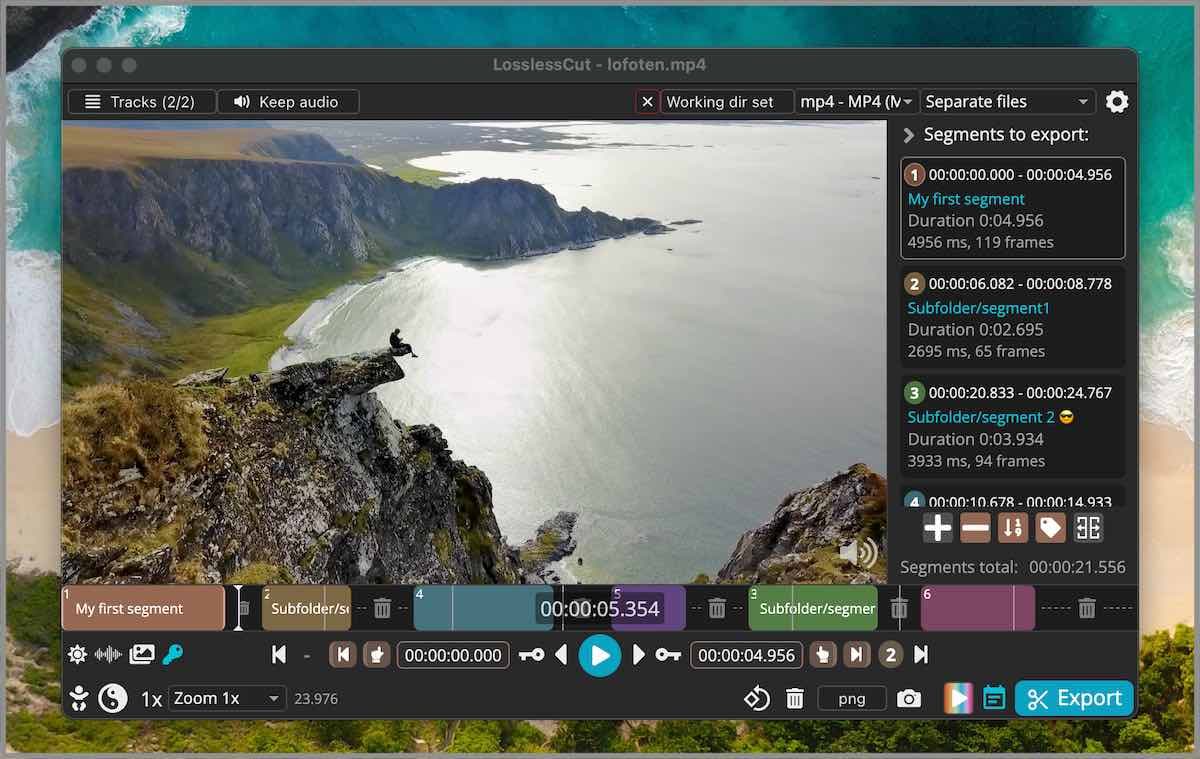
LosslessCut aims to be the ultimate cross platform FFmpeg GUI for extremely fast and lossless operations on video, audio, subtitle and other related media files. The main feature is lossless trimming and cutting of video and audio files, which is great for saving space by rough-cutting your large video files taken from a video camera, GoPro, drone, etc. It lets you quickly extract the good parts from your videos and discard many gigabytes of data without doing a slow re-encode and thereby losing quality. There are also many more use cases. Everything is extremely fast because it does an almost direct data copy, fueled by the awesome FFmpeg which does all the grunt work.
See also the Recipe cookbook.
If you want to support my continued work on LosslessCut, and you want the advantage of a secure and simple installation process with automatic, stable updates, consider getting it from your favorite store:


For Linux I publish to the Snap Store:

If you prefer to download the executables manually, this will of course always be free (see also supported operating systems):

LosslessCut is maintained by me alone and will always remain free and open source. If it's useful to you, consider supporting my work. Alternatively donate to the FFmpeg team because they are doing the world a huge favor.
LosslessCut uses the Chromium browser's HTML5 video player, and not all formats/codecs are natively supported. Generally, the following file formats work: MP4, MOV, WebM, Matroska, OGG and WAV. Audio codecs: FLAC, MP3, Opus, PCM, Vorbis and AAC. Video codecs: H264, AV1, Theora, VP8, VP9 and H265 (with hardware decoder). Learn the difference between a codec and a format. Files with other codecs and formats are played through FFmpeg instead (FFmpeg-assisted playback), automatically when LosslessCut knows they're unsupported, or from File → Convert to supported format. The export is still done from the original file, so it's still lossless. This means you can open almost any file that FFmpeg can decode.
Made with ❤️ in 🇳🇴
Follow me on GitHub, YouTube, IG, Twitter for more awesome content!
→ →
 →
 →
 →
 →
 →
 →