1
 →

A CAD application built with Rust — 2D/3D drawing, DWG/DXF support, and GPU-accelerated rendering
HakanSeven12/OpenCADStudio is an open-source project on GitHub, mainly written in Rust. A CAD application built with Rust — 2D/3D drawing, DWG/DXF support, and GPU-accelerated rendering It currently holds 3,951 stars and 476 forks with 52 open issues, and was last pushed on 2026-11-10 (repository created 2026-03-22).
Git Homed tracks it on the Today's Trending board, currently at rank #96 with 32 new stars today.
English · Български · Português (Brasil) · Čeština · Nederlands · Français · Suomi · Deutsch · Ελληνικά · Magyar · Italiano · 日本語 · 한국어 · ລາວ · Polski · Русский · 简体中文 · Español · 繁體中文 · Türkçe · हिन्दी · العربية

Open-source 2D drafting and 3D modeling for desktop and web, built with Rust.
Launch the web app · Download the desktop app · Join the discussion
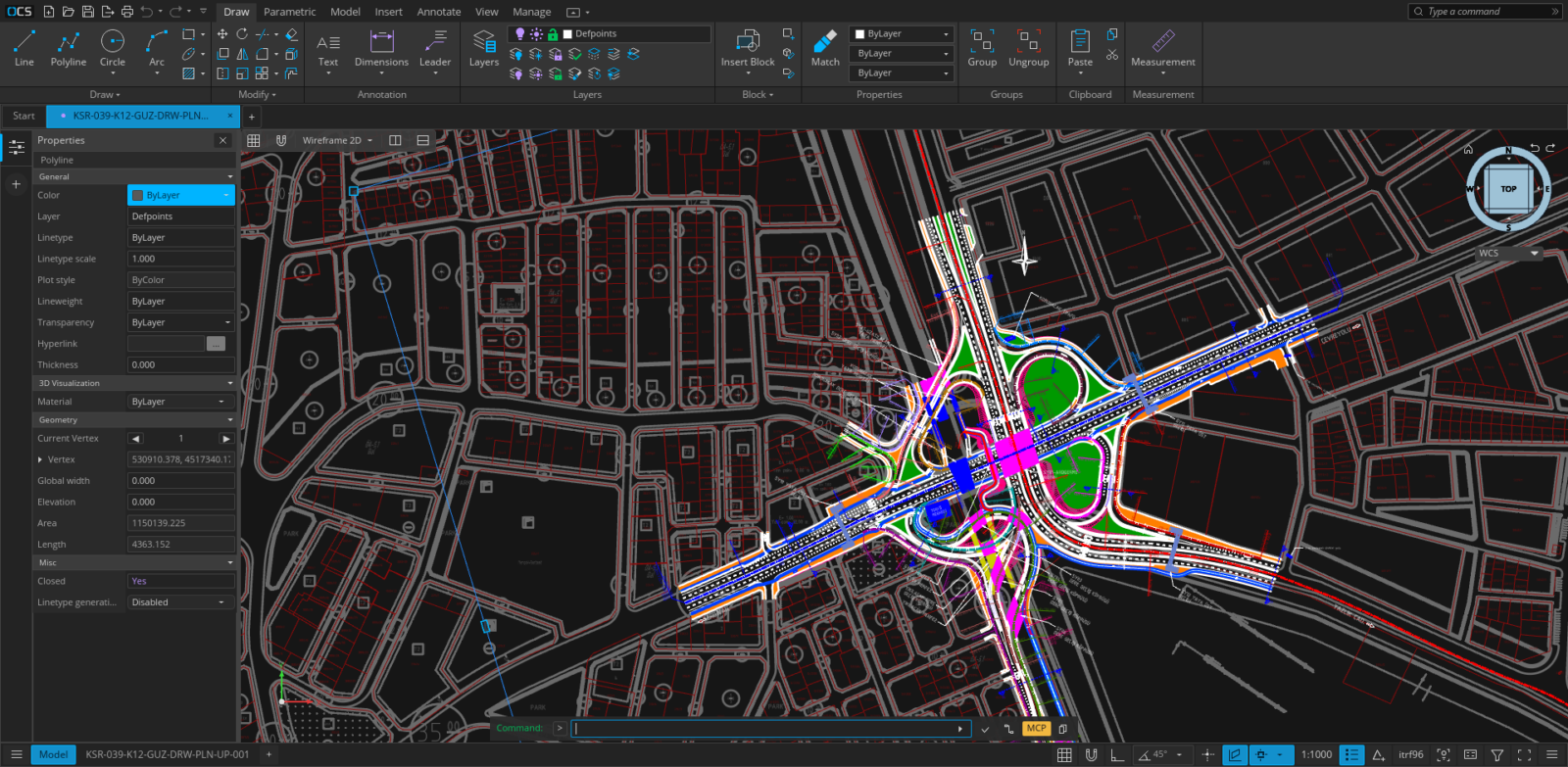
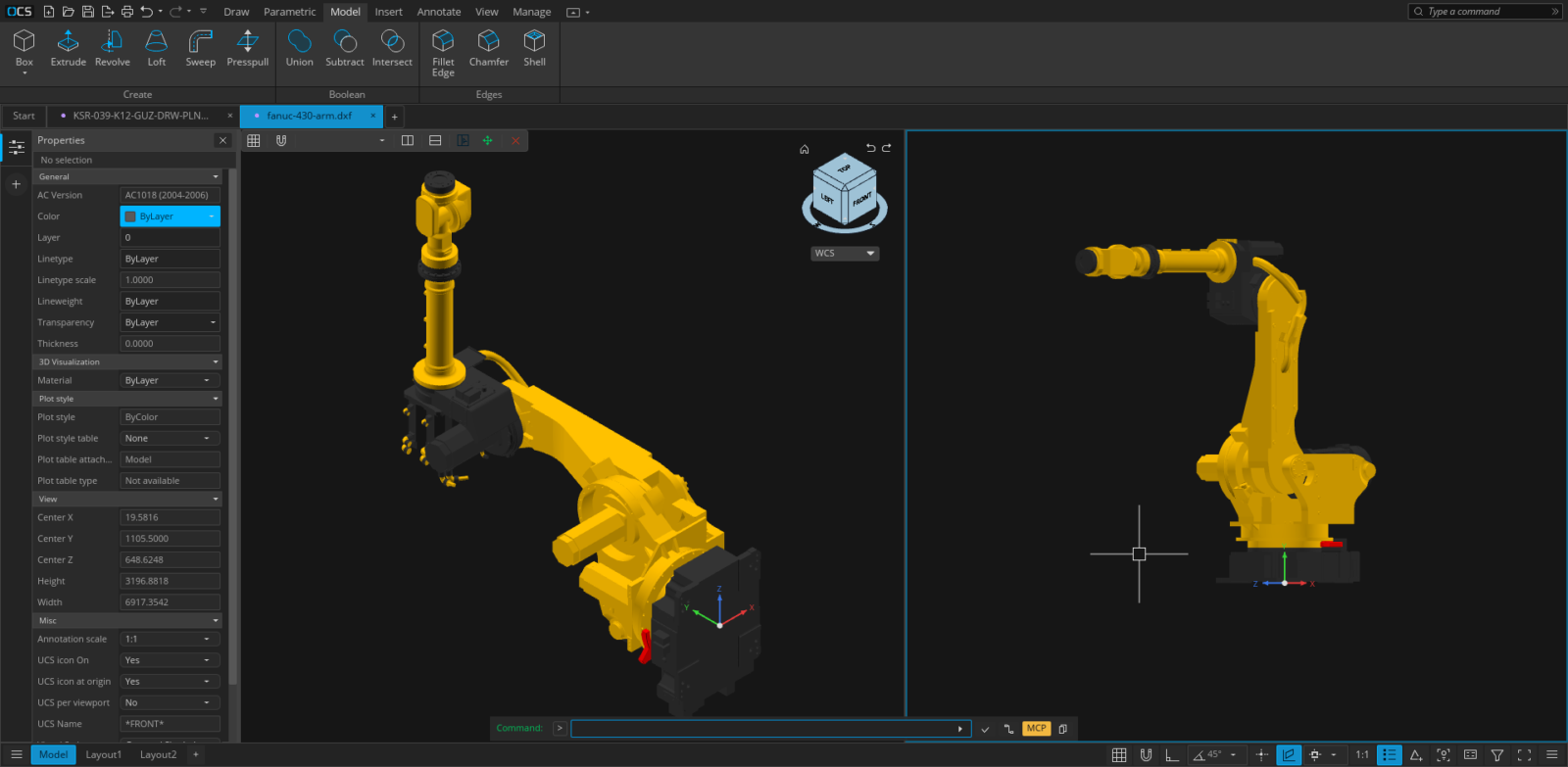
Open CAD Studio is a cross-platform application for technical drawing, layout work, and solid modeling. It reads and writes DWG and DXF drawings natively, with a shared editing core across the desktop and browser versions.
The experimental IFCCAD format choice exchanges supported CAD drawings in
.ifccad files. Existing .ifcx drawings remain readable. General IFCX BIM
models are not supported by this drawing route.
This alpha functionality is for testing only: later versions may not reopen
these files, and backward compatibility or migration is not guaranteed. Keep
original drawings and separate DWG/DXF copies. See the
IFCCAD workflow and compatibility guide.
The project is under active development. Keep backups of important production drawings and report reproducible problems through GitHub Issues.
wgpu, with orthographic and perspective cameras.
| Format or workflow | Support |
| --- | --- |
| DWG | Read and write; versioned save targets from R14 through 2018 |
| DXF | Read and write; versioned save targets from R14 through 2018 |
| BAK / SV$ | Open drawing backups and autosave files |
| OBJ | Import polygon meshes |
| SVG / SVGZ | Import vector shapes as a block (SVGIN, or IMPORT) |
| LandXML | Import CgPoint survey points |
| STL | Export 3D mesh data |
| STEP AP203 | Export 3D mesh data |
| PDF | Plot layouts and selected geometry on desktop |
| CSV | Extract entity property data |
| CTB / STB | Load and edit plot style tables |
Use the web app for immediate access with no installation. Drawings are selected through the browser and saved as local downloads.
Use the desktop application for native file associations, file-manager thumbnails, system printing, PDF output, external plugins, command scripts, and headless automation. Release builds are available for Windows, Linux, and Apple Silicon macOS.
Download the package for your computer from the download page; every link there is the latest release. All files are also on the latest release page.
Choose one of these signed packages, x86_64 for Intel and AMD processors or arm64 for ARM processors:
OpenCADStudio-*-windows-x86_64-installer.msi / …-windows-arm64-installer.msi — recommended installer with Start Menu shortcuts, DWG/DXF file associations, and drawing thumbnails.OpenCADStudio-*-windows-x86_64-portable.exe / …-windows-arm64-portable.exe — standalone application; no installation required.winget install HakanSeven.OpenCADStudio
Download the AppImage (linux-x86_64 or linux-aarch64 for ARM), make it executable, and run it:
chmod +x OpenCADStudio-*-linux-x86_64.AppImage
./OpenCADStudio-*-linux-x86_64.AppImage
Or install it as a Flatpak from FlatPark, which installs the official AppImage and follows new releases:
flatpak remote-add --if-not-exists flatpark https://dl.flatpark.org/flatpark.flatpakrepo
flatpak install flatpark io.github.HakanSeven12.OpenCadStudio
The Flatpak opens and saves drawings through the file chooser. External references and underlays that point at other files need home access:
flatpak override --user --filesystem=home io.github.HakanSeven12.OpenCadStudio
Each release also carries a snap. It is not in the Snap Store yet, so snapd installs it only with --dangerous, and it does not update itself:
sudo snap install --dangerous OpenCADStudio-*-linux-x86_64.snap
Packages are published for Apple Silicon and Intel Macs:
1. Download OpenCADStudio--macos-arm64.dmg (Apple Silicon) or OpenCADStudio--macos-x86_64.dmg (Intel).
2. Open the image and drag OpenCADStudio.app into Applications.
3. If Gatekeeper blocks the first launch, approve the app from System Settings → Privacy & Security.
The application is ad-hoc signed but is not currently notarized by Apple.
Open CAD Studio can follow the system language or use any of these 23 interface languages:
Arabic · Brazilian Portuguese · Bulgarian · Czech · Dutch · English · Finnish · French · German · Greek · Hindi · Hungarian · Italian · Japanese · Korean · Lao · Polish · Russian · Simplified Chinese · Spanish · Traditional Chinese · Turkish · Vietnamese
Change the language from the application settings. The browser version also uses the browser's preferred locale when System is selected.
Requirements:
sudo apt update
sudo apt install libgl1-mesa-dev libx11-dev libxcursor-dev libxi-dev \
  libxrandr-dev libxkbcommon-dev libwayland-dev libfontconfig1-dev \
  libfreetype6-dev
Then build and run:
git clone https://github.com/HakanSeven12/OpenCADStudio.git
cd OpenCADStudio
cargo build --release --bin OpenCADStudio
The resulting binary is written to target/release/OpenCADStudio (OpenCADStudio.exe on Windows).
Install the WebAssembly target and build tools once:
rustup target add wasm32-unknown-unknown
cargo install trunk wasm-bindgen-cli
Start the development server:
trunk serve
The desktop binary supports one-shot conversion, a persistent headless server, and a client-neutral MCP endpoint for AI applications:
OpenCADStudio --export input.dwg output.dxf
OpenCADStudio --export input-r12.dxf output.dwg --target-version R14
OpenCADStudio --serve
OpenCADStudio --serve --port 4242
OpenCADStudio --mcp
The automation server exchanges one JSON object per line over standard input/output or a local TCP socket. The self-contained MCP endpoint exposes the live desktop editor through the same tools to every compatible client. Its audit and save_verified operations check an explicit DWG/DXF target version, lossy records, raw DXF handle references, reopen the output, compare its semantic manifest, and return a SHA-256 hash. To connect a client, configure it to launch OpenCADStudio --mcp. See the MCP control guide.
Desktop plugins run in separate processes and communicate with the host through the versioned plugin API. The browser build does not load native plugins.
Bug reports, focused pull requests, translations, documentation improvements, and plugin contributions are welcome.
locales/*/opencadstudio.ftl; source labels map through
src/locale_catalog.rs. After editing translations, run python3 scripts/export-locales.py
to refresh web and desktop packaging labels. Validate with python3 scripts/test_site.py
and cargo test --lib i18n::tests.
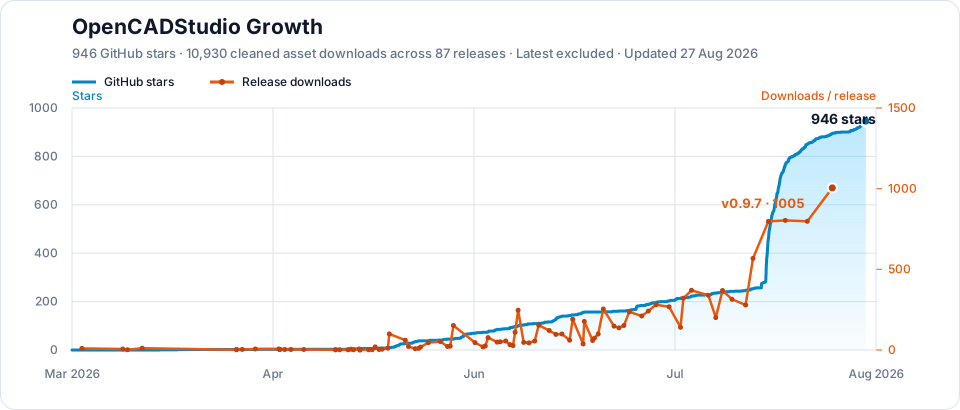
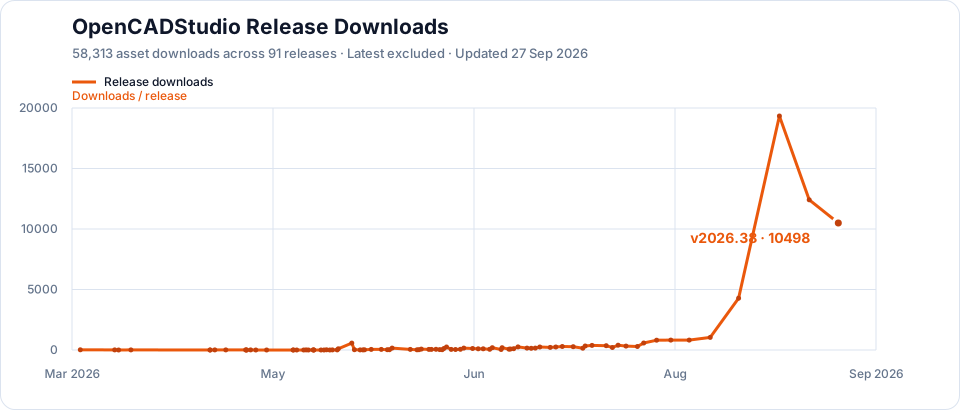
If Open CAD Studio helps your work, support continued development through GitHub Sponsors or Patreon.
Open CAD Studio is distributed under the GNU General Public License v3.0.
→ →
 →
 →
 →
 →
 →
 →